

New capabilities in CAST Highlight make AI recommendations more actionable, put Ask CAST right inside the product, sharpen open-source risk detection, and add two new Marketplace extensions. Here’s everything you need to know.
AI Acceleration insights
Improved
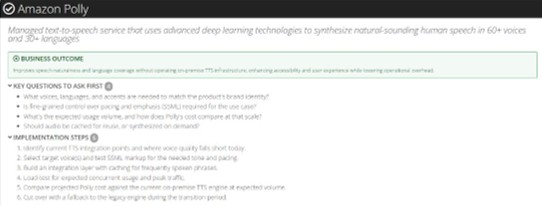
Actionable AWS AI service recommendations
AI Opportunity recommendations for AWS now go beyond a service name. For each recommended AWS AI service, CAST Highlight lays out the business outcome you can expect, the key questions your team should answer before starting, and step-by-step implementation guidance – so architects can move from “this app is a good AI candidate” to a credible plan of action.
Improved
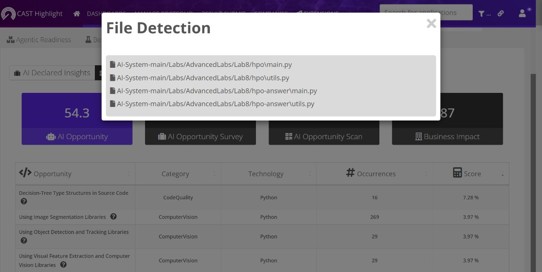
AI Opportunity: see the exact files behind each AI pattern
Wondering why an application scored the way it did? The AI Opportunity view now lists the paths and files where each AI pattern was detected. Engineering leads can jump straight to the relevant code, validate the finding and scope the work – full transparency from portfolio score down to source file.
Improved
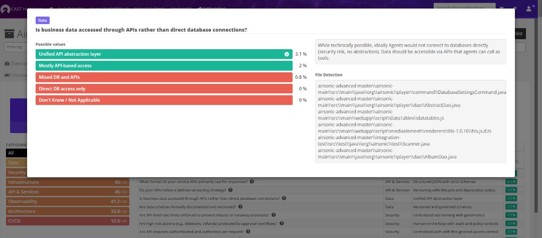
Agentic Readiness: evidence at file level
The same transparency now applies to Agentic Readiness. For every code-scanned criterion, the UI displays the paths and files that triggered it, giving teams the hard evidence behind each score and a precise starting point for making an application agent-ready.
Improved
AI Opportunity scores now available in the API
The AI Opportunity score and the AI Opportunity Scan (code scan) score are now exposed through the CAST Highlight API. Pull them into your own dashboards, BI tools or governance workflows and combine them with the rest of your portfolio data.
Ask CAST & MCP
New
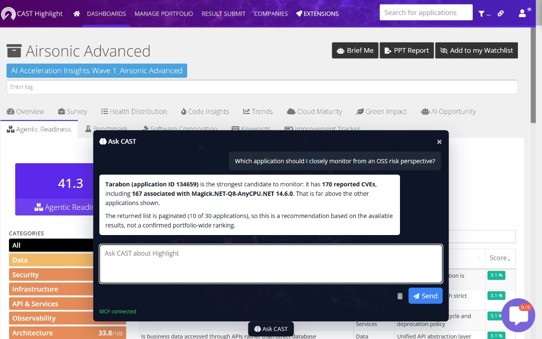
Ask CAST is now built in – powered by our own MCP server
Ask CAST, the conversational assistant inside CAST Highlight’s user interface, has been rebuilt on top of the CAST Highlight MCP server and replaces the former AI Advisor. Ask questions in plain language: “Which apps have critical CVEs?”, “What should we move to the cloud first?” and get answers grounded in your live portfolio data. Note: to start using it, each user needs to generate a new user token.
New
CAST Highlight Power for AWS Kiro
AWS Kiro users can now bring CAST Highlight insights straight into their agentic IDE. The Kiro Power lets you query technical debt, open-source risk, cloud maturity and AI/agentic readiness of your portfolio, and even trigger new code scans through the CAST Highlight GitHub Action – without leaving your development flow.

Improved
MCP server 1.0.6: faster results for Ask CAST
Version 1.0.6 of the CAST Highlight MCP server brings smarter cache management, reducing repeated API calls and delivering noticeably faster responses from Ask CAST – especially on large portfolios and multi-step questions, in any MCP-compatible client (Claude, Copilot, Gemini, Kiro…).
Software Composition Analysis
Improved
Complex CVE detection with CPE configurations
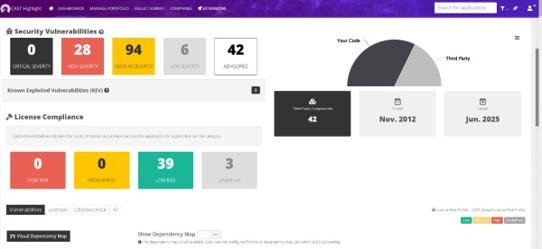
Some vulnerabilities only apply when specific conditions are met. For example, required conditions can include a given component version combined with a particular platform or another product. CAST Highlight now evaluates these CPE configurations (the AND/OR applicability rules published with CVEs), resulting in more precise vulnerability matching and fewer false positives.
New
Over 400 new SPDX licenses with rulebooks
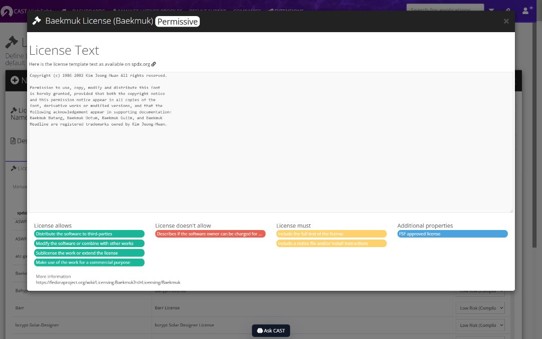
License coverage takes a big leap: over 400 SPDX licenses have been added, each with its license rulebook – the plain-language summary of what you can, cannot and must do with a component. Legal and engineering teams get clearer answers on more of the open source in your portfolio.
New
pnpm support for JavaScript dependency detection
CAST Highlight now reads pnpm-lock.yaml files, so JavaScript and TypeScript projects managed with pnpm get the same complete dependency inventory (and vulnerability and license analysis) as npm and Yarn projects.
Other improvements
New
Live service status at status.casthighlight.com
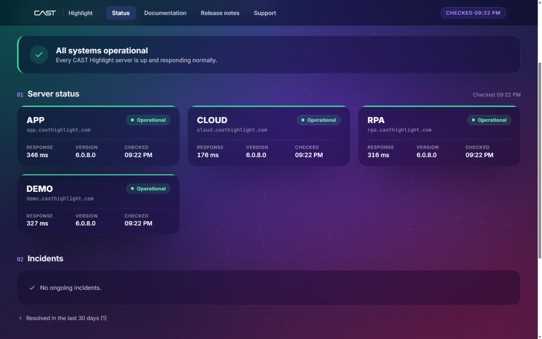
A public status page now shows the real-time health of CAST Highlight SaaS servers. Before contacting support, check at a glance whether your instance is up and running.
Improved
Keyword Scan: occurrences traced to paths & files
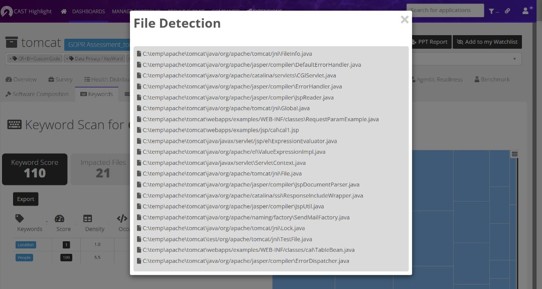
Keyword Scan results now show the paths and files where each pattern was found, directly in the UI. Whether you’re hunting for outdated JDK versions, sensitive data or specific libraries, you can go from portfolio-level counts to the exact location in a couple of clicks.
Leave a Reply