

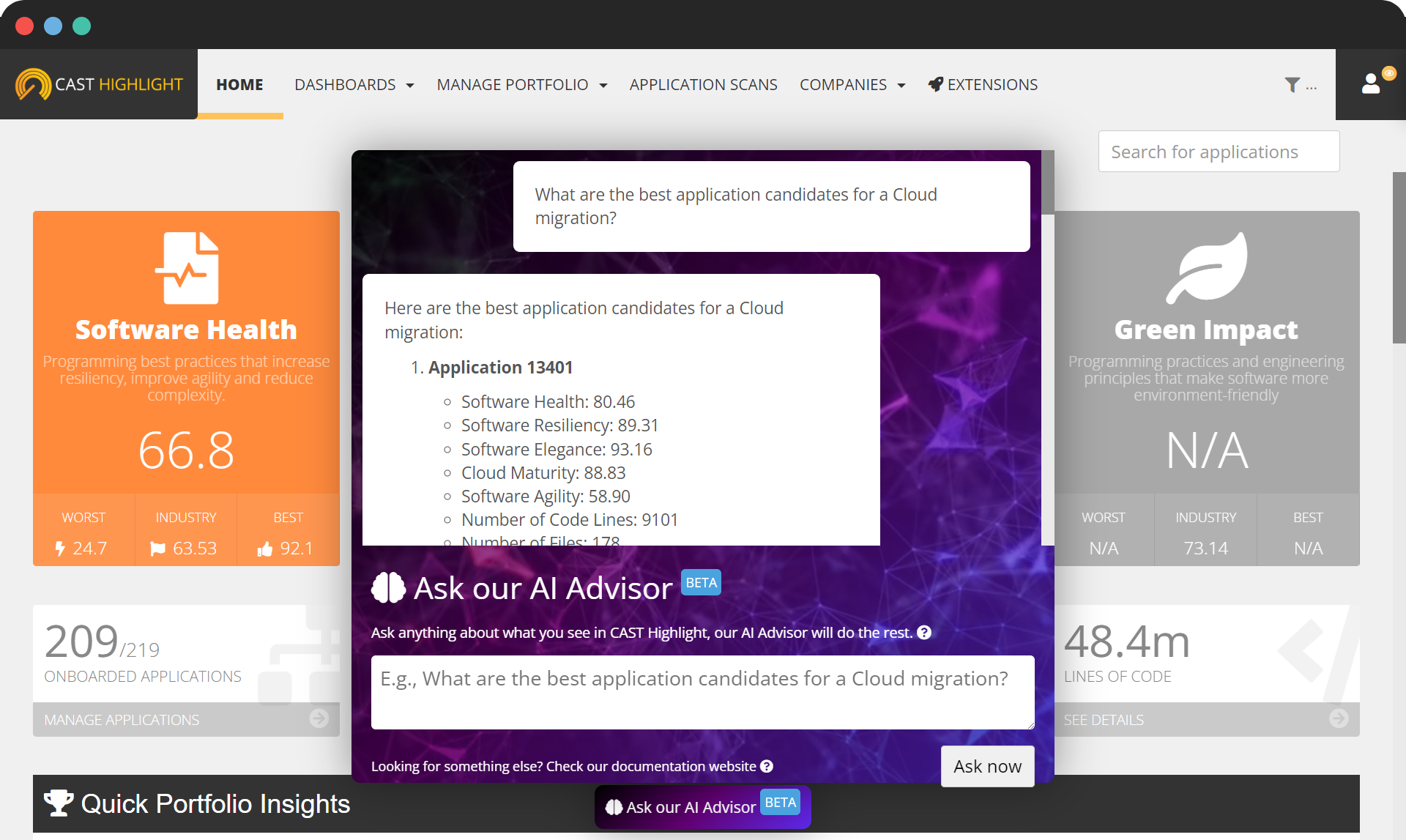
Introducing CAST Highlight’s Ask CAST, your Interactive Assistant for Software Intelligence
The CAST Highlight product team is always striving to make the user experience seamless and productive. Today, we’re excited to announce the launch of a new capability that will deeply impact the way you interact with the product: Ask CAST. See in this article how to set it up and use it.
Powered by cutting-edge artificial intelligence technology – OpenAI ChatGPT Turbo-3.5 – Ask CAST feature will hopefully be your personal guide to unlocking the full potential of software intelligence. Once the capability is enabled (see how to set it up for your subscription later in this article), you can chat with Ask CAST from anywhere in the product. Click on the bottom button “Ask CAST” to open the prompt and ask your first question.
Two types of questions are supported:
- Educational/how-to questions: these questions are generally around the product and the definition of metrics (e.g., How to scan an application? How the Green Impact score is calculated? What are the supported technologies? What is a cloud Blocker? Is it better to have 1 critical CVE or 5 high-severity vulnerabilities?). These questions are answered in CAST Highlight documentation (tutorials like this one, Getting Started Guide, etc.) that have been previously used to train the AI Advisor but with OpenAI knowledge on software intelligence and software development challenges.
- Results consumption/metric-oriented questions: these are questions about your portfolio that can be answered with a number or list of items (e.g., What are the top resilient applications in my portfolio? How many critical CVEs do I have? What applications are best candidates for a cloud migration? Am I exposed to CVE-2021–44228?)
The beauty of NLP (Natural Language Processing) technology is that you don’t have to wonder which type of question you are asking, the algorithm detects it automatically and composes the best possible answer based on what it knows.
How to set up CAST Highlight’s Ask CAST
To use Ask CAST in CAST Highlight, you will need to have it enabled for your subscription (the Complete Insights edition of CAST Highlight is required) and an OpenAI API key which will be provided by CAST. Please contact the CAST support team at https://help.castsoftware.com to request your key.
Once the capability is turned on for your CAST Highlight subscription and you receive your API key, as a Portfolio Manager, go to Companies > Ask CAST, paste your API key and click on “Update”. The feature will be ready for questions from all active users of your CAST Highlight instance.
Limitations and performance considerations
Ask CAST runs on the CAST Highlight MCP Server, which gets its data from the CAST Highlight API. So how fast you get an answer depends on how much data a question needs and how complex it is. If you ask about a very large portfolio, or write a prompt that combines several analyses, filters or comparisons in one question, the MCP Server has to make more API calls and process more data before it can reply. That means response times can vary. We keep working on the MCP Server and the CAST Highlight API so answers come back faster and more reliably, even for the largest portfolios and most demanding questions.
Another important note:
(i) the use of Ask CAST is subject to the following Terms ; (ii) as Ask CAST may give you inaccurate information, do not rely on output from this feature for anything other than information gathering purposes; (iii) CAST personnel may process or otherwise have access to your conversations with Ask CAST for quality and business (e.g. product development, feedback, and research) purposes; (iv) when using Ask CAST, application names and associated metrics may be shared with OpenAI; and (v) do not share in the prompt any confidential information, proprietary information, trade secret, personal data, or any other information which may otherwise be considered sensitive.
Leave a Reply