
Feature Focus: Survey Bulk Import/Export
Beyond Code: The Power of Context
CAST Highlight is widely recognized for its automated code analysis, providing objective insights into open-source risks, cloud readiness, software health, and technical debt. But technology decisions are never made on code alone.
To prioritize modernization, assess risk exposure, or rationalize a portfolio, organizations also need context:
- Who owns the application?
- What business capability does it support?
- Is it strategic or legacy?
- What is its lifecycle status?
- Are there regulatory or compliance constraints?
These organizational and portfolio-level insights cannot be extracted from source code. They must be collected directly from the people who know the applications best. That is precisely the role of survey campaigns in CAST Highlight.
With the new Excel export/import capability, collecting that context becomes dramatically easier, especially at scale.
A Practical Solution for Centralized Knowledge
In many enterprises, application knowledge is centralized. Enterprise architects maintain inventories, security teams track compliance posture, and portfolio managers consolidate lifecycle information. Re-entering this information manually, application by application, can be time-consuming and inefficient.
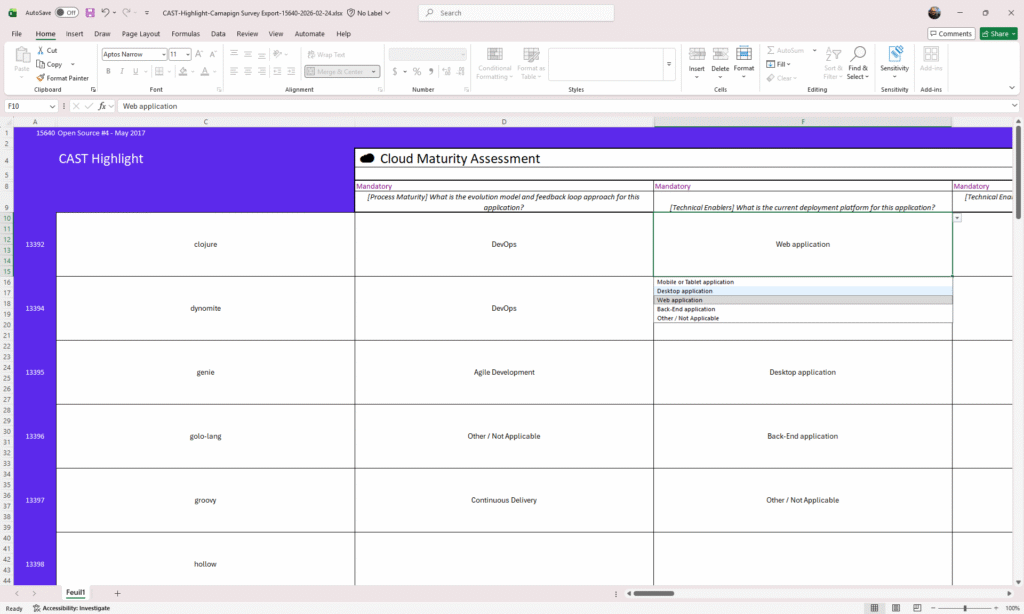
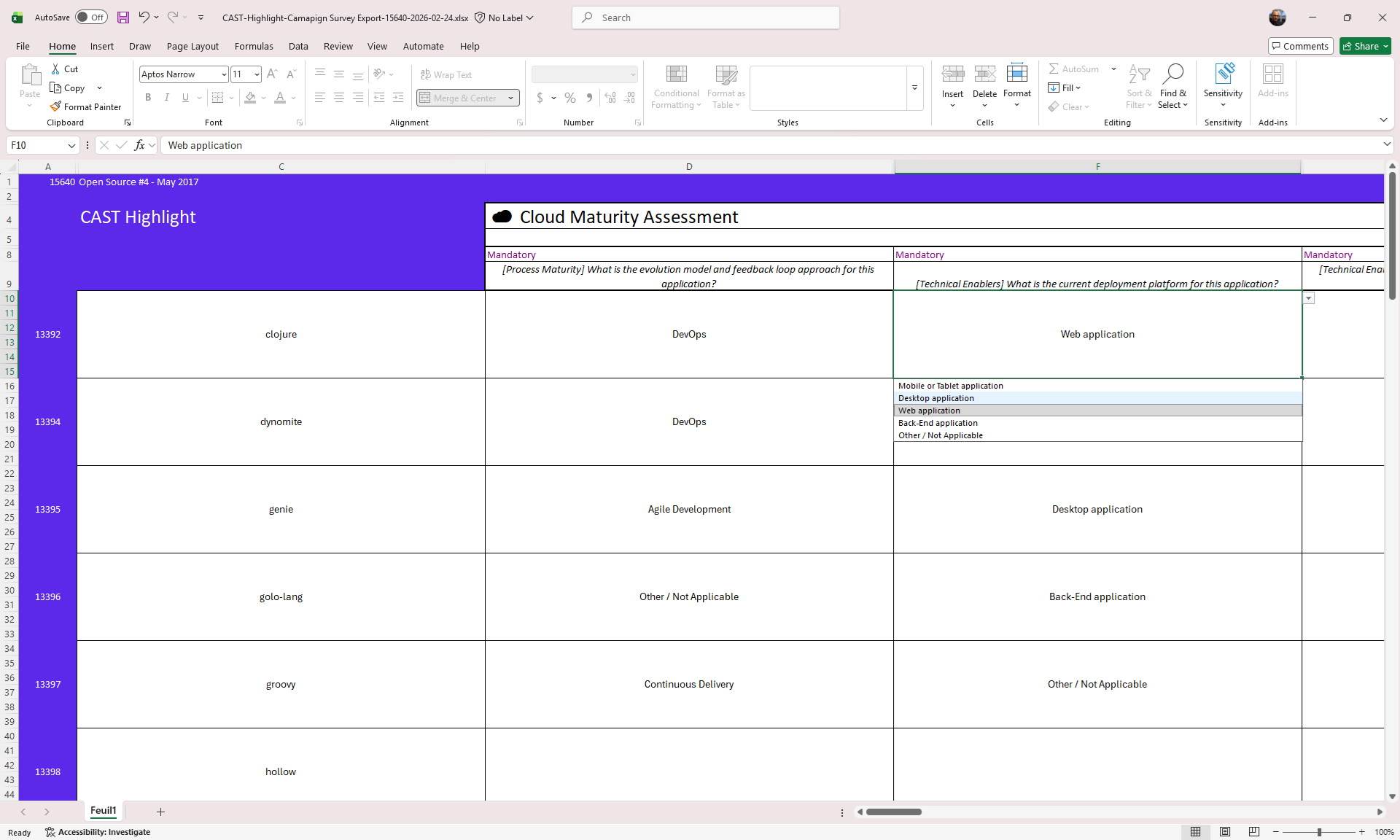
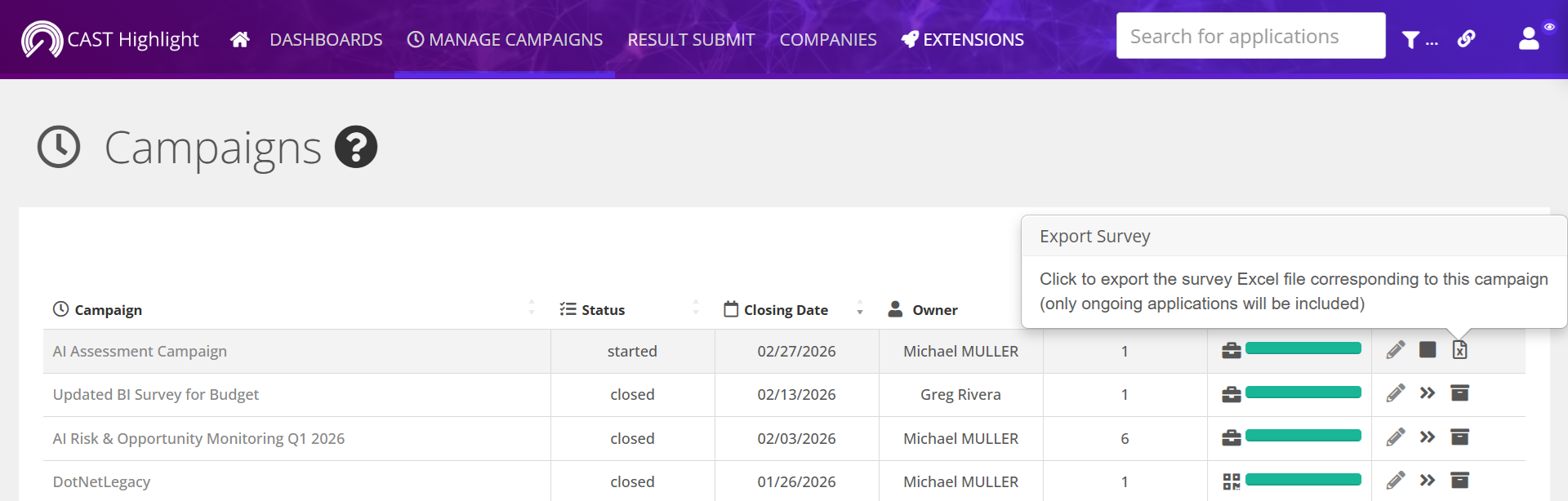
The new feature solves this by allowing you to download a structured Excel file that contains all applications included in a campaign, along with the associated survey questions. This file is generated directly from the MANAGE CAMPAIGN screen and reflects exactly how the campaign has been defined in the platform.
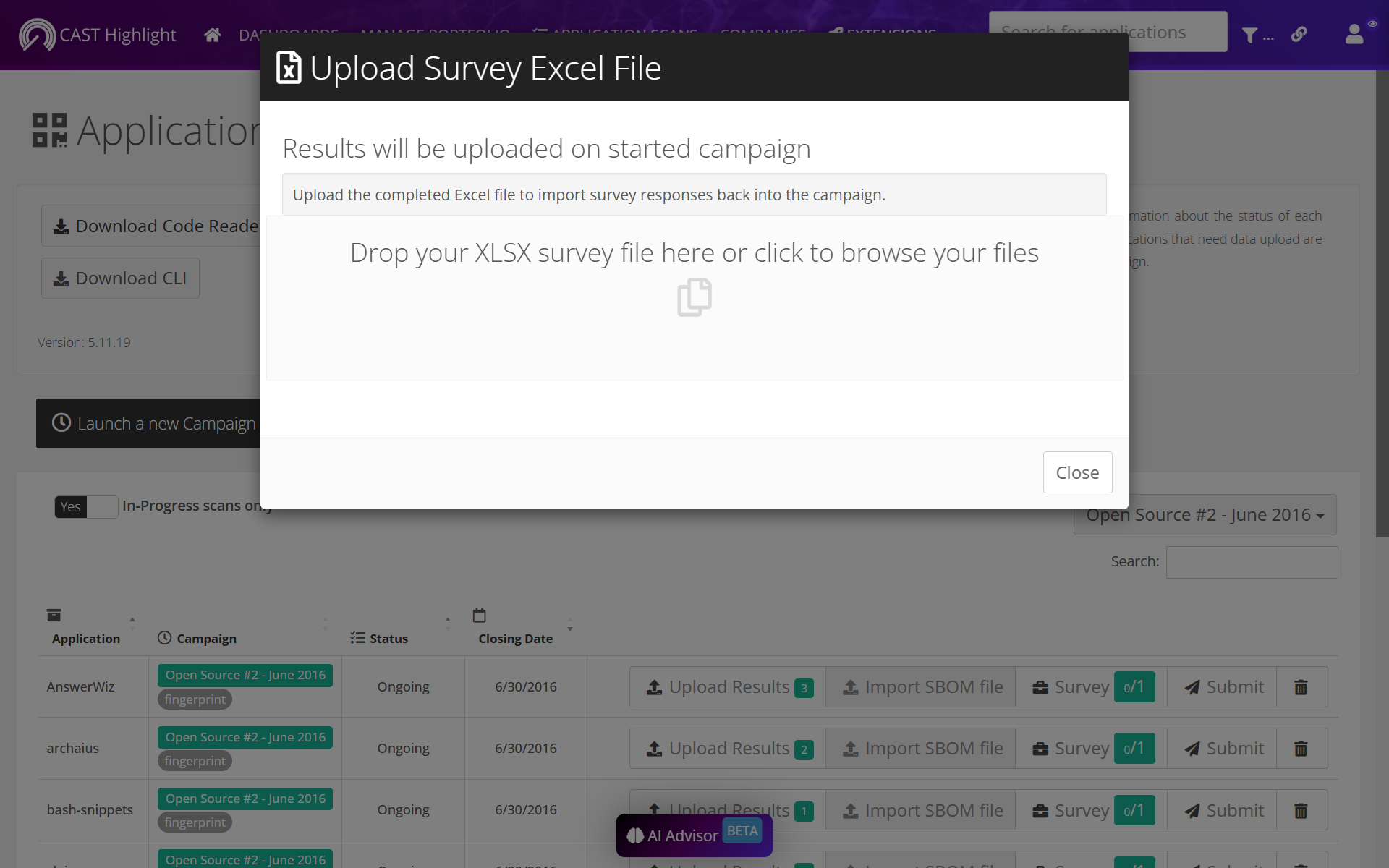
Instead of filling out responses online one application at a time, teams can now work offline, consolidate inputs centrally, and leverage existing repositories of information. Once completed, the file can be uploaded from the RESULT SUBMIT > APPLICATION SCANS screen, where the system automatically validates and imports the answers.
The entire process transforms what used to be a repetitive task into a streamlined, scalable workflow.
How It Works
The process is intentionally simple and aligned with existing campaign management steps.
First, from the MANAGE CAMPAIGN screen, download the survey Excel file. The system automatically includes all applications and survey questions relevant to the campaign, so no additional configuration is required.
Next, complete the file offline. The structure is predefined to ensure smooth re-import, so column headers and identifiers should remain unchanged. Teams can populate answers manually, copy them from existing documentation, or even use automated processes if the data already exists in structured form.
Finally, once the file is ready, upload it from RESULT SUBMIT > APPLICATION SCANS. The platform validates the structure and maps each response to the correct application within the campaign. Within moments, your survey results are available in the system.
Why This Matters for Portfolio Governance
This feature is particularly impactful for large organizations managing dozens or hundreds of applications. It accelerates campaign execution, reduces manual effort, and encourages broader collaboration by allowing contributors to work in a familiar format.
More importantly, it strengthens the strategic value of CAST Highlight. By combining automated code-level intelligence with structured business and organizational context, the platform delivers a truly portfolio-aware perspective. Technical risk scores gain meaning when connected to application criticality. Cloud readiness insights become actionable when aligned with modernization roadmaps. Open-source risk assessments can be prioritized based on business impact.
That combination – objective code analytics enriched with contextual survey data – is what enables smarter decision-making at scale.
Note: This feature currently works with Microsoft Excel files only. LibreOffice’s not supported.